Treating all artificial intelligence robots as if they were the same thing is the mistake that most easily undermines a visibility strategy. Today, the same site may want to appear in Google Search and ChatGPT search responses, opt out of using the content for model training, and at the same time remain accessible when a person asks an agent to visit a public page. These purposes are different and the controls need to be too.
Current OpenAI documentation separates OAI-SearchBot, used for ChatGPT search functions, from GPTBot, which crawls content that can be used in training generative models. OpenAI itself says that the two preferences are independent: it is possible to allow OAI-SearchBot to appear in the search and block GPTBot to signal that the content should not be used in training. In the Google ecosystem, Googlebot remains linked to Google Search, while Google-Extended is a separate token in robots.txt to control certain uses of content in Gemini products. Google states that Google-Extended does not change your site's inclusion or ranking in Google Search.
The practical consequence is simple: before editing robots.txt, define the objective. The correct question is not just 'do I block AI bots?'. The question is 'do I want search, training, agent access, all of them or just some paths?'.
The short answer: separate pursuit from training
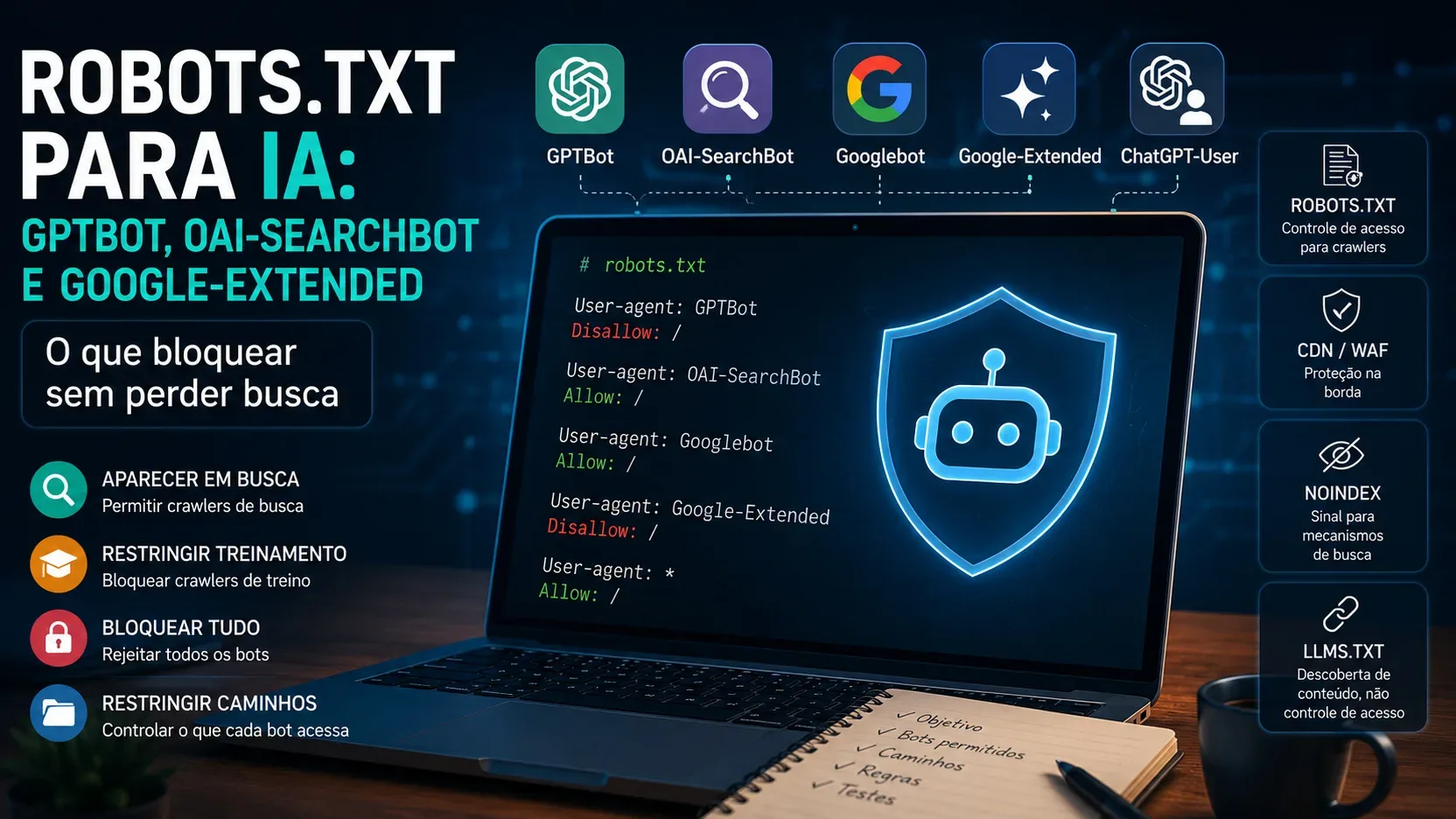
For an editorial site that wants to preserve discoverability in search engines and sourced responses, but does not want to release tracking intended for training, the most conservative configuration is to allow Googlebot and OAI-SearchBot and block GPTBot and Google-Extended. This maintains Google Search and helps content be eligible for ChatGPT search, while also registering opt-outs from GPTBot and Google-Extended controlled training uses.
This combination does not resolve all types of access. ChatGPT-User, for example, is not the automatic Search crawler. OpenAI describes it as an agent used in certain actions initiated by ChatGPT users and custom GPTs. As it is access triggered by a person, the documentation itself warns that robots.txt rules may not apply. If the intention is to technically prevent this type of visit, the decision needs to reach the authentication layer, server, CDN or WAF.
What each agent really controls
OAI-SearchBot: discovery for ChatGPT search
OAI-SearchBot is the token that should receive attention when the objective is to appear in ChatGPT's search functions. OpenAI reports that sites that choose to block this crawler will no longer be shown in Search responses as crawled content, although URLs may still appear as navigation links in some situations. To encourage inclusion, the official recommendation is to enable OAI-SearchBot in robots.txt and ensure that the hosting, CDN, or firewall also accepts legitimate traffic from OpenAI's published IP ranges.
This creates an important difference between robots.txt and infrastructure. A file can say Allow: / for OAI-SearchBot and still the crawler receives 403, JavaScript challenge, CAPTCHA, or 429 on the edge. In this case, the problem is not with robots.txt: the protection layer is preventing access.
GPTBot: signal for possible use in training
GPTBot is presented by OpenAI as the crawler used to collect content that can be used to train its generative models. Blocking GPTBot is the mechanism indicated by the company to signal that the content of the website or certain paths should not be used in this training. The wording 'may be used' is relevant: enabling the crawler does not mean that every page will necessarily be used in training, but blocking the token registers the exclusion preference for this purpose.
OpenAI also explains that when OAI-SearchBot and GPTBot are enabled, it can reuse the result of a single crawl for more than one purpose, avoiding duplicate visits. This does not eliminate the separation of preferences: the documentation says that the controls remain independent.
ChatGPT-User: access initiated by a person
ChatGPT-User is not the token to control participation in ChatGPT Search. It appears when a user action causes ChatGPT or a custom GPT to visit a page. OpenAI states that this agent is not used for automatic web crawling and does not determine whether a page may appear in Search.
So blocking ChatGPT-User in robots.txt and leaving OAI-SearchBot open is not a reliable way of saying 'I want search, but I don't want agents'. If this distinction is important, the access rule must be implemented where the request can actually be accepted or denied, such as in the WAF, in the CDN, on the server or by authentication. In public content, the decision may be different; in a private area, you should never rely on robots.txt as a security barrier.
Googlebot: the crawler you shouldn't take down if you want Search
Google Googlebot remains the central crawler for tracking Google Search. Google itself reminds us that robots.txt controls crawling access, it is not a general mechanism for removing pages from results. If the goal is to maintain an organic presence, broad Googlebot blocking can prevent Google from reading new content, updates, and indexing policies.
Google-Extended: control of usage in Gemini without changing the Search ranking
Google-Extended is different from Googlebot and has an operational peculiarity: Google reports that it does not have a separate HTTP User-Agent string. Tracking is performed with existing Google agents; Google-Extended works as a control token in robots.txt.
According to Google's documentation, this token allows the publisher to manage whether content crawled by Google can be used to train future generations of Gemini models and for certain grounding uses in Gemini and Vertex AI products. The same documentation states that Google-Extended does not affect a site's inclusion in Google Search or act as a ranking signal. Therefore, blocking Google-Extended may be compatible with keeping Googlebot open for traditional SEO.
This detail also avoids an infrastructure error: creating a WAF rule literally looking for an HTTP User-Agent called Google-Extended does not correspond to the operation described by Google. The Google-Extended decision belongs to robots.txt; edge protection must work with the real identifiers or verified bot mechanisms offered by the provider.
Matrix by objective: rules that reflect the decision
I want search, but not training
This is the most common scenario for those who want visibility without opening specific training controls. For OpenAI, allow OAI-SearchBot and block GPTBot. For Google, keep Googlebot allowed and block Google-Extended if you also don't want the uses of Gemini controlled by this token.
User-agent: OAI-SearchBot Allow: / User-agent: GPTBot Disallow: / User-agent: Googlebot Allow: / User-agent: Google-Extended Disallow: / With this combination, Google Search remains separate from Google-Extended, and ChatGPT search remains separate from GPTBot. It is the configuration that best reflects the intention 'I want to be found, but I don't want to release training' using the controls published by each company.
I want to allow search and also training
If the site accepts both uses, the rules may allow all four tokens. Still, it is recommended to review the CDN and WAF, because an Allow in robots.txt does not overcome a network block.
User-agent: OAI-SearchBot Allow: / User-agent: GPTBot Allow: / User-agent: Googlebot Allow: / User-agent: Google-Extended Allow: / ChatGPT-User remains outside of this automatic crawler logic. If the site wants user-driven agents to be able to visit public pages, the infrastructure also needs to not block this legitimate traffic.
I want to keep Google Search but leave ChatGPT Search and training
In this case, preserve Googlebot and block OAI-SearchBot and GPTBot. If you also don't want Gemini uses controlled by the Google token, block Google-Extended.
User-agent: Googlebot Allow: / User-agent: OAI-SearchBot Disallow: / User-agent: GPTBot Disallow: / User-agent: Google-Extended Disallow: / OpenAI cautions that a URL blocked for OAI-SearchBot may still appear as a navigation link if known through other means. If the goal is to not appear as an indexed result or as a link displayable by a compatible mechanism, noindex comes into play, as long as the crawler can access the page to read the directive.
I want to block all tracking compatible with robots.txt
The generic rule is short.
User-agent: * Disallow: / But this rule does not turn a public site into private content. Google describes robots.txt as a tracking control and Cloudflare reminds us that compliance is voluntary: the file expresses a preference, it does not create a technical barrier against any HTTP client. For sensitive content, paid area or admin panel, use real authentication and access control.
Also, do not use this lock as a replacement for noindex. A page blocked in robots.txt may still be known to a search engine because of external links, and the blocked crawler will not be able to read the noindex directive inserted into the page itself.
I want to restrict only specific paths
It is not necessary to apply the same rule to the entire domain. If the site supports searching public articles, but wants to exclude a directory of internal materials from the training crawler, the rule can be segmented by path.
User-agent: GPTBot Disallow: /internal-materials/ Disallow: /drafts/ User-agent: OAI-SearchBot Allow: / The same logic applies to Google-Extended. However, really sensitive paths should not be protected just because they were written in Disallow. Robots.txt is publicly accessible and does not prevent a client from ignoring the convention. If the content should not be viewed, the source must require authorization.
Robots.txt, noindex and WAF solve different problems
Robots.txt controls tracking of agents that respect the rule
Robots.txt is the layer where you declare which crawlers can access which paths. It is excellent for separating OAI-SearchBot from GPTBot and Googlebot from Google-Extended because these operators publish specific tokens and document expected behavior.
The limit is that robots.txt is not a security control. Cloudflare itself summarizes the difference by saying that the file expresses preferences, while edge blocking is necessary when you want to enforce the restriction. This matters especially in the face of unidentified crawlers, agents that don't follow convention, or malicious traffic pretending to be a known bot.
Noindex controls presence in results, not network access
Noindex serves to prevent indexing by mechanisms that respect this directive. On Google, the rule needs to be read during crawling; Therefore, the page cannot be blocked in robots.txt if you expect Googlebot to see noindex. OpenAI makes the equivalent point when explaining that your crawler needs access to read the noindex meta tag.
The wrong combination is to block the crawler on robots.txt and, at the same time, hope that it discovers a hidden noindex on the page. The correct combination depends on the goal. If the page is public, but should not appear in results, allow the necessary access to read the noindex. If the page is private, don't depend on indexing: protect it with authentication.
CDN and WAF decide whether the request goes in
The CDN or WAF layer can block, challenge, or limit a request even when robots.txt says Allow. OpenAI's documentation cites errors 403 and 429 as common signs that web protection, bot mitigation, or rate limiting are blocking legitimate crawlers. Cloudflare also warns that custom rules may block known bots and harm SEO or monitoring.
To reduce false positives, prefer verified bot mechanisms, signatures, or operator-published IP ranges when your provider supports them. A rule that relies only on the User-Agent text is easier to falsify and may make exceptions that are too broad. In the case of OpenAI, there are public IP lists for OAI-SearchBot, GPTBot and ChatGPT-User; In the case of providers like Cloudflare, there is classification of verified bots by behavior, including Search, Agent and Training.
The special case of Cloudflare and policies by purpose
The evolution of edge tools follows exactly the separation proposed in this article. Cloudflare now classifies AI bots by behavior, differentiating Search, Agent and Training, rather than lumping everything together under the generic 'AI bot' label. This allows you to create a policy that accepts search crawlers and blocks training crawlers, for example.
This layer does not replace robots.txt. It serves as technical execution. A robust design is to keep robots.txt expressing your editorial policy and configure WAF to not contradict it. If OAI-SearchBot is allowed in the file, but the security rule blocks all automated traffic, the published intent and actual site behavior become misaligned.
llms.txt is not a lock file llms.txt emerged as an open proposal to publish, in a predictable path, a more language model-friendly vision: site summary, guidance, and links to relevant content in an easier-to-consume format. The stated goal is to help models and agents use a site at inference time, especially in documentation and long databases.
This is different from robots.txt. llms.txt is not an authorization mechanism, is not a noindex directive, and does not block the network. The specification continues to be presented by the maintainers as a proposal open to the community, not as a replacement for the robots protocol. In practical terms, think of llms.txt as a map or index for machines; robots.txt is a crawl preference; noindex is an indexing directive; authentication and WAF are access enforcement mechanisms.
Publishing llms.txt also does not revoke a block already placed on robots.txt. Likewise, allowing a path in robots.txt does not force any system to read llms.txt. The two files can coexist, but they fulfill different functions.
Errors that seem small and change the result
Block User-agent: * and then wait for noindex to resolve
If the crawler cannot access the page, it cannot read the noindex directive. This is one of the reasons why robots.txt should not be treated as a tool for deindexing HTML pages.
Block all AI bots on CDN and leave OAI-SearchBot allowed in robots.txt
The file says one thing and the border does another. For the crawler, the final result is the HTTP received. If the CDN responds with a 403, CAPTCHA or challenge that the robot cannot fulfill, the robots.txt permission does not make the page accessible.
Create WAF rule by searching for Google-Extended text in User-Agent
Google documents that Google-Extended does not have a separate HTTP User-Agent. It is a robots.txt token. The rule needs to be applied where the token is understood, not assuming that there will be its own string in each request.
Use ChatGPT-User to try to control Search
ChatGPT-User is associated with actions initiated by users and does not determine presence in ChatGPT Search. The Search token is OAI-SearchBot. Mixing the two can lead to a blockage that doesn't achieve the desired goal.
Trust Disallow to hide sensitive content
Robots.txt is not authentication. If the material requires confidentiality, the server must deny access to anyone who is not authorized. A path listed in Disallow remains a public site path.
A conservative setup for editorial sites
For blogs, portals, and institutional sites that rely on organic discovery, a reasonable initial policy is to preserve Googlebot and OAI-SearchBot, block GPTBot if the organization doesn't want to release OpenAI training, and block Google-Extended if it also doesn't want uses of Gemini controlled by that token. Then, align the WAF so that allowed crawlers are not blocked by mistake.
User-agent: OAI-SearchBot Allow: / User-agent: GPTBot Disallow: / User-agent: Googlebot Allow: / User-agent: Google-Extended Disallow: / For pages that should not appear in search engines, use noindex so that the crawler can read it. For areas that should not be accessed by third parties, use server-side authentication or authorization. For public content that you want to make easier for agents to interpret, llms.txt can be a complement to, not a replacement for, these controls.
How to validate after publishing
Check the file delivered to the domain root
Open robots.txt as an external visitor and verify that there is no old generic rule overriding the current intent. On sites with CMS, proxy or CDN, confirm that the published version is actually the same as the one that was edited.
Read HTTP logs and codes
Search for requests from the agents you intend to allow. If OAI-SearchBot or Googlebot receives 403, 429 or challenges, review WAF, bot mitigation and rate limiting. If the policy is to block a training crawler, confirm that responses and logs reflect expected behavior.
Use bot verification when available
In firewall rules, combine agent identity with verifiable mechanisms offered by the provider. OpenAI publishes IP ranges for its crawlers; Cloudflare maintains verified bot categories. This reduces the risk of throwing an exception just because a request wrote the name of a known bot into the User-Agent.
Wait for propagation before concluding it has failed
OpenAI reports that Search-related robots.txt changes can take around 24 hours to be reflected in your systems. Noindex also relies on re-crawling to be noticed by search engines. A correct change may not produce instant effect.
Measure search and visit as different things
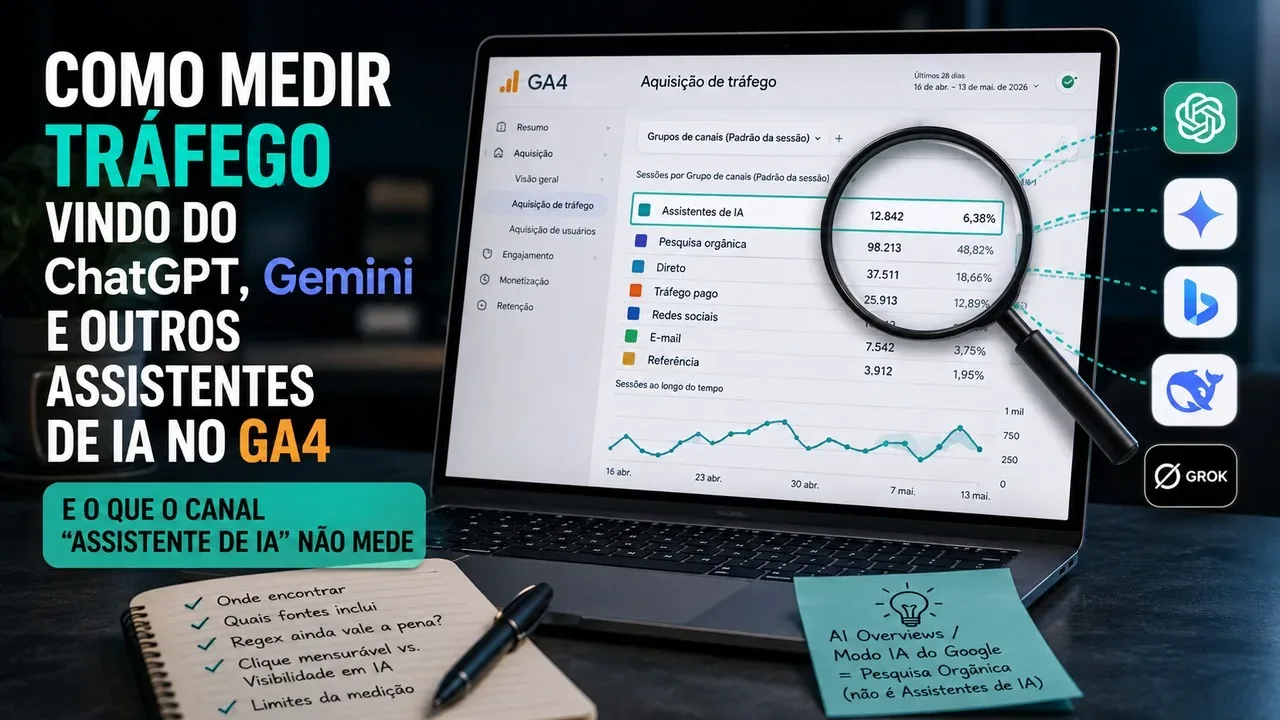
Allowing OAI-SearchBot increases the possibility of content being discovered and cited in ChatGPT search, but does not guarantee position or traffic. OpenAI reports that ChatGPT Search references include utm_source=chatgpt.com, which helps separate post-click visits from simple presence in responses. At Google, Search Console continues to be the go-to for crawling and indexing Google Search.
The final decision in one sentence
If you want untrained search, keep OAI-SearchBot and Googlebot accessible, block GPTBot and Google-Extended according to your content usage policy, treat ChatGPT-User as user-initiated access and not as a Search crawler, use noindex to control indexing, and use authentication or WAF when the restriction needs to be actually enforced. llms.txt can help machines understand public content, but it does not replace any of these controls.