
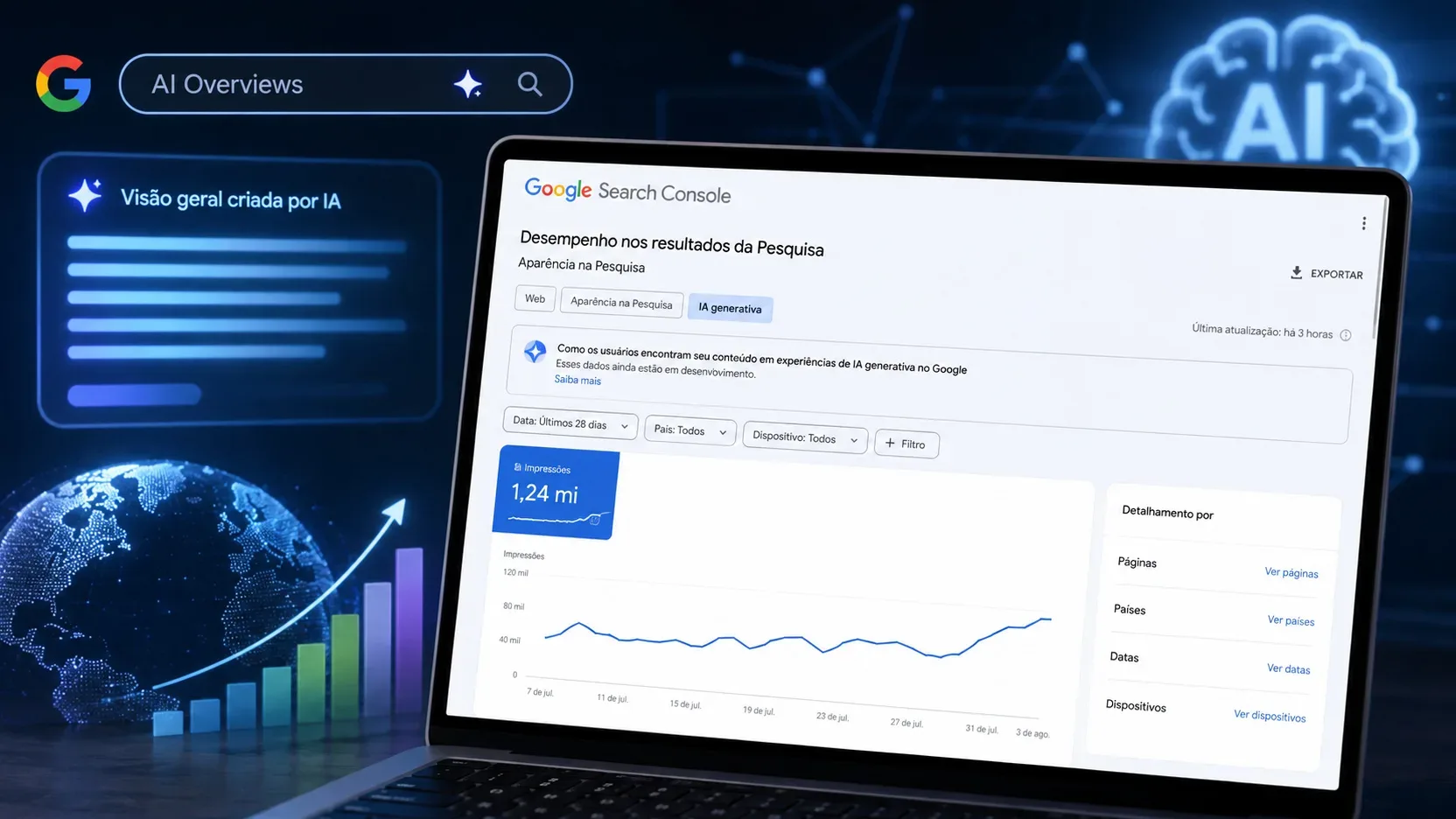
Google Search Console's generative AI performance report was launched on June 3, 2026 to give site owners a separate view of how their pages appear in AI features within Search. In the Search view, it brings together impressions from AI Overviews and AI Mode. The change matters because, until then, those signals were already included in the broader Web Search data, but there was no dedicated view to isolate exposure in generative experiences.
The first rule for interpreting this report is simple: it is a visibility report. Google's current documentation essentially describes impressions and allows that volume to be broken down by page, country, date, and device. In this dedicated view, queries, clicks, CTR, and average position are not shown. For that reason, the number alone does not tell you how much traffic AI generated, which terms triggered the appearance, or what return each appearance produced.
Where to find the report and why it may not appear
When a property receives access, the report appears in the Search Console performance area as a dedicated generative AI view, separate from the traditional Search results report. Google also provides a direct path to the report from its own help documentation.
As of August 24, 2026, the official documentation still says the feature is being gradually rolled out to a subset of site owners. Therefore, not seeing the option in your property does not, by itself, mean there is a configuration error. Google points to two main reasons: the property may not have received access yet, or the site may not have accumulated enough impressions in generative AI features.
There is also a third situation related to eligibility. Search Console allows site owners to control participation in certain generative AI features in Search. If the property has been excluded from those features, that can reduce or eliminate the impressions needed for the report. That control is separate from the report and should not be confused with a metrics setting.
The report discussed here is the generative AI report for Search. Google also maintains a separate view for generative features in Discover, with its own scope and dimensions.
What the report actually measures
In the dedicated Search report, an impression represents the display of a link from your site in a supported generative AI feature. The current documentation lists AI Overviews and AI Mode. Data from experiments that are still under development in Search Labs are not included in this set.
That means the report answers a specific question: how often URLs from the property were shown within these AI experiences. It does not measure the quality of the generated answer, it does not say whether text from the site was used as a source without a visible link, and it does not turn every impression into a visit.
Impressions in AI Overviews
In AI Overviews, Google applies a more specific visibility rule. For the link to receive an impression, it must be scrolled or expanded into view. A page therefore does not automatically receive an impression simply because an AI Overview block exists on the screen. The count is tied to exposure of the property's link within that element.
This rule matters when comparing AI impression volume with impressions from other Search formats. The general concept of an impression varies by result type, and Google itself warns that the heuristics may change over time.
Impressions in AI Mode
In AI Mode, Search Console applies the standard impression rules. The documentation also treats each follow-up question from the user as a new query for impression, click, and position data in the general Search report. The dedicated report, however, does not show that query to the site owner.
In practice, a conversation in AI Mode can generate several new search interactions. The generative AI report lets you observe the site's accumulated exposure, but it does not reconstruct the sequence of questions that led to each appearance.
Which dimensions are available
The current view allows impressions to be grouped by pages, countries, dates, and devices. Under Pages, data is associated with the final URL linked from the AI feature after redirects, largely following the canonical URL attribution logic used in Search Console performance reports.
The Countries dimension shows the geographic origin of the search. Devices separates desktop, tablet, and smartphone. Dates lets you track changes over the selected period; the documentation states that dates use Pacific Time, the same standard used by Search Console performance reports.
These dimensions are useful for locating where visibility is concentrated. They do not add a query dimension, nor do they explicitly separate AI Overview from AI Mode. Under the current documentation, both experiences are included in the same Search report and there is no listed dimension that breaks impressions down by feature.
Why the chart total may not match the sum of pages
One of the easiest points to misread is aggregation. The chart shows total impressions aggregated at the property level. If two results from the same site appear in the same generative AI feature, they may be counted as a single impression in the property total.
The Pages table, by contrast, is aggregated by page. That allows different pages from the same property to appear separately. Because the aggregation level is not the same, the sum of the page rows can differ from the total shown in the chart without there being any data error.
The behavior changes if you apply a URL filter, because the chart then becomes aggregated by URL. This difference makes it inappropriate to compare totals from different aggregation levels as though they were always equivalent.
What the dedicated report does not show
The current documentation for the generative AI report does not provide clicks, CTR, average position, or queries in this view. It also does not provide the exact wording of the user's question, the page excerpt that supported an answer, the citation order within the answer, or a conversion metric.
The absence of this information limits several common conclusions. An increase in impressions does not prove an increase in traffic. A page leading in impressions is not necessarily the page that received the most clicks. A decline in impressions does not prove a loss of position. And the report does not allow you to calculate a direct, reliable CTR specifically for AI Overviews or AI Mode.
It is also not possible to determine, from this view, what share of impressions came from AI Overviews and what share came from AI Mode. Because these experiences are grouped together and no feature dimension is listed, any split of that kind would require additional information that the dedicated report does not provide.
So where are clicks and position for AI Overviews and AI Mode?
The separation between the dedicated report and the general report is the central point for understanding the product. Google says that generative AI data from Search is already included in the Web search type of the Search results performance report. The new report does not replace that base; it provides a separate view of impressions in generative features.
In the general report, Search Console's methodology includes clicks, impressions, and position for AI Overviews and AI Mode. A click on a link that takes the user to an external page in AI Mode counts as a click. The same applies to an external link inside an AI Overview.
Position is also recorded in the general report, but with its own rules. In an AI Overview, the entire block occupies a single position in the results and all links within it receive that same position. In AI Mode, position follows the methodology used for the Search results page, including the rules that apply to carousels and image blocks.
The analytical problem is that these metrics from the Web report are not accompanied, in the dedicated view, by a marker that isolates them to generative AI. Therefore, it is not correct to take a page's total clicks from the Web report and divide them by impressions from the AI report to produce a supposed AI CTR. The numerator and denominator do not cover the same scope.
What an increase in AI impressions means
If impressions rise, the safe conclusion is that links from the property were displayed more frequently in supported generative features, within the period and filters being analyzed. This may indicate broader visibility, appearances in more search contexts, or more frequent exposure, but the report does not show which of those causes was dominant.
To investigate further, compare equivalent periods and look at which pages account for the change. Then break the data down by country and device. If growth is limited to a few URLs, that tells a different story from growth distributed across the site. If it occurs only in one country or on one device, the change may reflect feature availability, search behavior, or audience composition.
Even with these comparisons, keep the conclusion at the level supported by the data: visibility. To discuss traffic, engagement, or conversion, other measurement sources are required.
What a decline in impressions means
A decline can reflect lower real exposure, a change in the set of pages being shown, seasonality, a shift in search demand, a change in feature availability, or a measurement problem. The report alone does not identify the cause.
At the time this article was prepared, there is a particularly important warning. Search Console's official anomalies page records that a logging error caused a decrease in impressions in the Search generative AI report for data from August 13, 2026 onward. On August 24, Google still marked the issue as ongoing and said it affected only data logging.
For that reason, a decline beginning on or after August 13, 2026 should not automatically be interpreted as a real loss of visibility. For analyses covering that period, the anomaly needs to be considered before any editorial, technical, or commercial conclusion is drawn.
How to compare the dedicated report with the Web report
The safest approach is to treat the two reports as different lenses. The generative AI report answers where and how much your site appeared in generative experiences. The Web report shows the property's overall performance in Search, including interactions from AI Overviews and AI Mode together with other result formats.
Start by identifying in the AI report which pages gained or lost impressions. Then open the Web report for the same period and apply equivalent page, country, and device filters whenever possible. Compare the direction of the trends, but do not automatically attribute every click or position change to AI.
If a page gains many AI impressions and, at the same time, clicks increase in the Web report, there is a temporal correlation worth investigating. Even so, without a click view specific to the generative experience, Search Console does not prove that the additional clicks came from it.
Does Google Analytics fill this gap?
In May 2026, Google Analytics added a default channel called AI Assistants to identify sessions originating from recognized services such as ChatGPT, Gemini, Claude, DeepSeek, Copilot, and Grok. That channel is useful for measuring traffic actually referred by external assistants.
There is, however, an important distinction: Google Analytics' own documentation says that the AI Assistants channel excludes Google's AI Overviews and AI Mode. Unpaid visits from those experiences are classified as Organic Search.
That means Analytics is better suited to answering questions about sessions and behavior after the click, but through the AI Assistants channel it does not provide an automatic, dedicated split for AI Overviews and AI Mode. Combining the tools improves context, but it does not eliminate every attribution gap.
Questions the report can answer
Which pages appear most often in Google's AI features?
Yes. The Pages dimension lets you sort and compare URLs by the impressions they received in the generative view. This is one of the most direct uses of the report.
In which countries or on which devices is my AI visibility concentrated?
Yes. Countries and Devices let you observe the distribution of impressions. Interpretation should remain limited to exposure: more smartphone impressions, for example, do not necessarily mean more clicks or better conversion on smartphones.
Is my AI presence growing over time?
The report lets you compare periods and track the impression trend. Recent data can be preliminary and may change in the following hours, and anomalies recorded by Google should be considered before attributing a change to the site's real performance.
Questions the report still does not answer
Which queries or prompts caused my page to appear?
Not in the dedicated report. Queries are not among the documented dimensions for the generative AI view.
How many clicks came specifically from AI Overviews or AI Mode?
Not from this report. Clicks from these experiences are included in the methodology of the general Search report, but the dedicated AI view does not show a click metric that isolates them.
What was the AI CTR?
It cannot be calculated safely using only the current data, because the dedicated report provides AI impressions while the clicks available in the Web report cover a broader set of results. Mixing those scopes creates an artificial rate.
What was my average position inside AI?
The dedicated report does not show average position. Search Console's general methodology records position for AI Overviews and AI Mode, but that position appears within the broader Search dataset. In addition, in an AI Overview all links in the block share the position of the element itself, which requires caution when interpreting the metric.
Does the report separate AI Overview from AI Mode?
Not under the structure currently documented. Both features are included in the report and the available dimensions are page, country, date, and device.
How to use the report without overstating what it can tell you
The most useful reading is to treat the new view as an indicator of presence in Google's generative experiences. Use it to discover which pages are gaining exposure, how that exposure varies by market and device, and whether the trend is changing over time.
Then use the Web report to understand the overall Search performance of the same pages and Analytics to observe sessions and outcomes on the site. In every comparison, preserve the boundary between correlation and attribution. The fact that two metrics rise together does not turn one into a proven cause of the other.
The generative AI report closes an important gap because it finally makes visible the exposure that was previously mixed into overall performance. At the same time, it was launched with a deliberately narrow scope. Knowing what it does not measure is an essential part of using it well.
The most useful reading today
If you need one sentence to summarize the report, use this: it shows where your site is being seen in AI Overviews and AI Mode, not the full value those appearances generated.
Impressions by page, country, date, and device help map presence and trends. Clicks, queries, CTR, and position specific to the experience remain outside this dedicated view. The general Search report and Analytics add other pieces, but they do not justify attribution shortcuts that the data does not support.
With that separation in mind, the new report stops looking incomplete and begins to serve a clear role: measuring visibility in generative AI with its own view, while the other tools help investigate traffic and outcomes at different levels.